Aurotrap status - New installation, active, inactive, offline, pending, missing and decommissioned
Modified on Mon, 22 Jun at 8:26 AM
Each Aurotrap has a status that indicates its current state and whether any action is required. Understanding these statuses can help you quickly identify whether a trap is operating normally or needs attention.
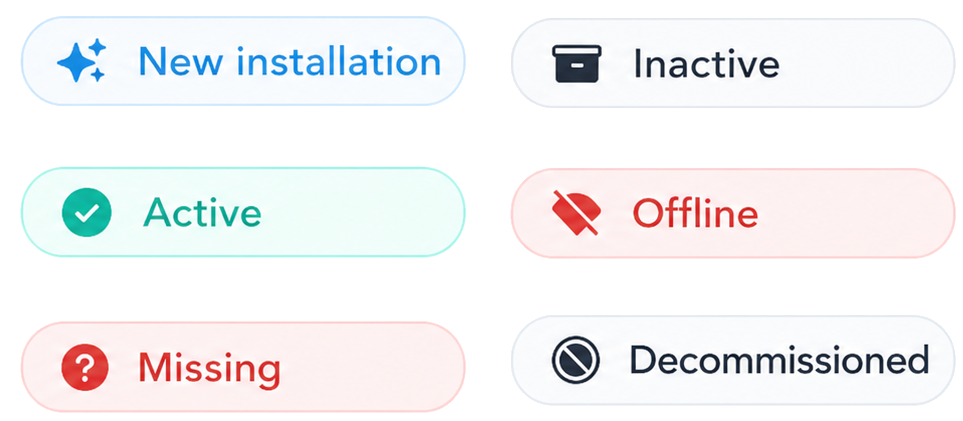
New Installation
The New Installation status appears when a trap has recently been installed.
Under normal conditions, the trap will automatically change from New Installation to Active within 24 hours after reporting its first successful update.
If you do not wish to wait for the next scheduled update, you can manually trigger a new status update by:
Disconnecting the battery.
Waiting 5 seconds.
Reconnecting the battery.
This will force the trap to send a new update immediately, allowing the status to change without waiting for the next heartbeat.
Active
The Active status indicates that the trap is operating normally and communicating correctly with the platform. No action is required when a trap is shown as Active.
Inactive
The Inactive status is used when a trap is temporarily not in use.
Common use cases include:
Placing a trap into storage.
Deactivating a trap during seasonal periods.
Preparing a trap to be moved from one customer to another.
Temporarily removing a trap from service.
When moving a trap between customers, the trap should first be set to Inactive before being installed at the new customer location.
Offline
A trap will enter Offline status when it has not reported any data for more than 72 hours.
This usually indicates that the trap is unable to communicate with the platform and should be physically inspected.
Common causes may include:
Battery issues.
Poor network coverage.
If a trap remains Offline, a site visit may be required.
Pending
The Pending status indicates that the trap is waiting to receive or complete a firmware update.
The trap remains fully functional during this process, provided it has been installed correctly and all settings are configured properly.
A Pending status should normally clear automatically within 24 hours.
Missing
A trap can be marked as Missing if a technician or customer is unable to locate it.
When a trap is placed in Missing status, the system requests a GNSS location update from the trap.
Once the trap reports its position, it will appear in the Traps section under Action Needed.
At this point, you can:
Confirm that the trap has been found and return it to normal operation.
Continue searching for the trap.
Proceed with decommissioning if the trap cannot be recovered.
Decommissioned
The Decommissioned status is used for traps that are permanently removed from service.
Common reasons include:
Irreparable damage.
End of life.
Lost or unrecoverable traps.
Once a trap has been decommissioned, it cannot be reactivated by users.
Only Aurocon Support can reactivate a decommissioned trap if required.
Was this article helpful?
That’s Great!
Thank you for your feedback
Sorry! We couldn't be helpful
Thank you for your feedback
Feedback sent
We appreciate your effort and will try to fix the article